
My table when published in a PDF manual is changed, and I don't know how to control this.
Table in H+M:
Same table in the PDF manual:
The first column is wide enough in Help + Manual, but not in the PDF manual. I marked "Lock column", but this does not help.
How do I control the column width so no word is cut?
Table in PDF manual
Moderators: Alexander Halser, Tim Green
Table in PDF manual
You do not have the required permissions to view the files attached to this post.
Re: Table in PDF manual
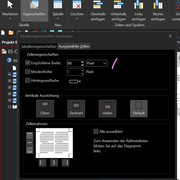
Did you assign a width?
Re: Table in PDF manual
Oh, I just realised how to fix it. I had all columns locked, so H+M unlocked them all during publishing, and so I got the unexpected result. Reading the user manual helps. 
-
Tim Green

- Site Admin
- Posts: 7819
- Joined: Mon Jun 24, 2002 9:11 am
- Location: Bruehl, Germany
- Contact:
Re: Table in PDF manual
Yes, Help+Manual tables are more fluid-type HTML tables than static word processing tables. This is necessary to cover all the different output formats. Problems like this arise when you export to a fixed-width page format like PDF or Word. Then the table needs to have at least one adjustable width column to give it the ability to adjust its width to fit in the page. If it doesn't fit, Help+Manual sets ALL the columns to adjustable width, and the results can be...well, not what you expect...BertholdL wrote: Tue Sep 30, 2025 2:09 pm Oh, I just realised how to fix it. I had all columns locked, so H+M unlocked them all during publishing, and so I got the unexpected result. Reading the user manual helps.

Regards,
Tim (EC Software Documentation & User Support)
Private support:
Please do not email or PM me with private support requests -- post to the forum directly.
Tim (EC Software Documentation & User Support)
Private support:
Please do not email or PM me with private support requests -- post to the forum directly.