when batch moving Topics (with Subtopics) they work fine when moving 1 layer up.
But they get nested instead of beeing moved to the "same" 1 layer down.
Please explain with more details.
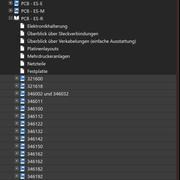
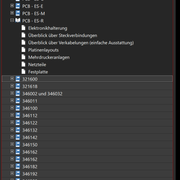
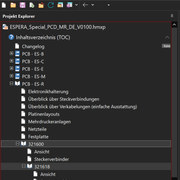
I see that you have selected all top level chapters starting with "321600" to the end of the TOC. The focused entry is "321600".
How exactly do you move the topics?
With drag & drop?
With the blue arrow buttons in the toolbar (which button: up or to the right)?
With cut & paste?
Please explain what you do to create this structure.
Alexander Halser
Senior Software Architect, EC Software GmbH
I used the blue arrows buttons to move the top level chapters one layer down.
Target: Move Topics with it subtopics 1 layer down without nesting or changing order.
Here is what I expected doing it.
» Move all Topics that should be moved "behind" the target topic (where all the desired topic should end up)
» Select all Topics (with subtopics)
» Use the blue arrow to move the selected topics into the "next" topic located "above" them
» Add those topics at the end of the topic
» Keep the order of the selected topics
What I get doing it with the steps above
» the first selected topic is inserted into the top topic
» the second selected topic is inserted into the first selected and already moved topic
» ...
I get why this is done. (looping through those topic makes every "moved" topic the "last" topic) It would be nice if this would be different if there is a selection of topics.
Another thing is, if I drag & drop Topic into another topic, it is always added on first position.
It would be nice if this action would add those topics on the last position.
Another thing is, if I drag & drop Topic into another topic, it is always added on first position.
Drag & drop in the project explorer supports three different drop positions: if you drop it right on the caption of the target topic, it becomes a child of this topic. But when you move the mouse slightly left or right of the caption, you get a visual indicator where to insert it (above or below, not as a child).
Alexander Halser
Senior Software Architect, EC Software GmbH

 I always use the easiest and fastest way and finding the right spot makes me fickerich.